Setting a Voicemail Greeting on Vested Soft
Log In to the Mobile App
If you're having trouble logging in, please see our article here.
Record a New Voicemail Greeting
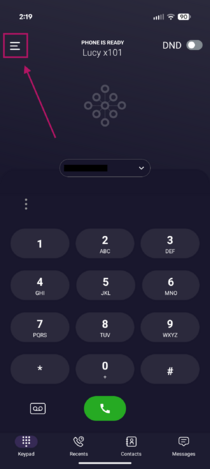
- Tap the Menu icon (☰) in the upper-left corner of the screen.
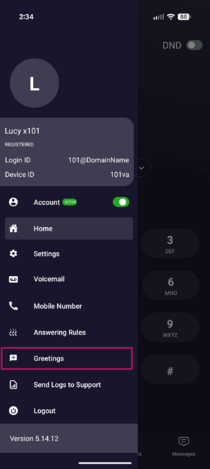
- Tap Greetings.
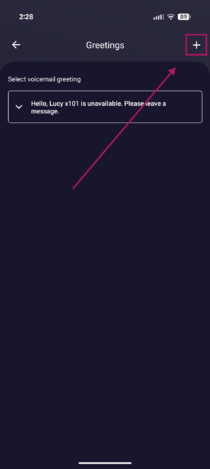
- Tap the + icon in the upper-right corner to create a new voicemail greeting.
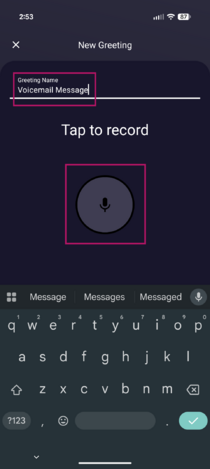
- Tap the Greeting Name field and enter a name for your greeting.
- Tap the Microphone icon to begin recording.
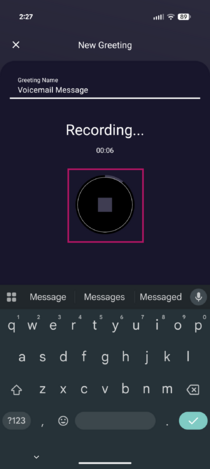
- When you have finished recording, tap the Stop icon.
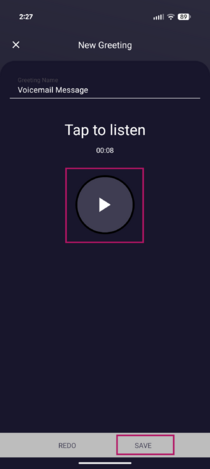
- Tap the Play icon to review your recording.
- Once you're satisfied with the recording, minimize the keyboard if necessary, then tap Save in the bottom-right corner of the screen.


Change Your Active Voicemail Greeting
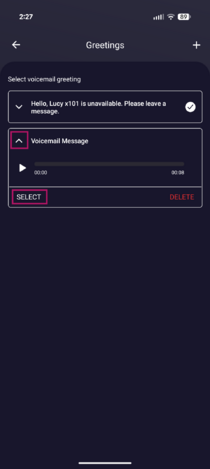
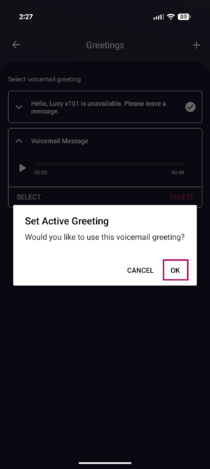
- In the Greetings menu, tap the drop-down arrow to the left of the greeting you want to use.
- Tap Select.
- Tap OK to confirm.
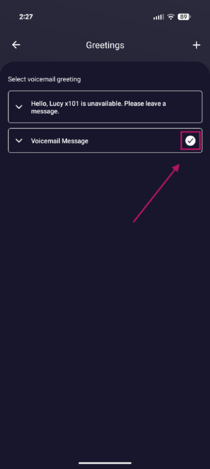
- A white checkmark to the right of the greeting indicates that it is currently active.


Delete a Voicemail Greeting
- In the Greetings menu, tap the drop-down arrow to the left of the greeting you want to delete.
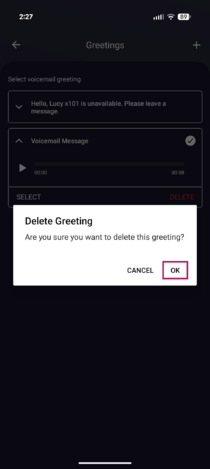
- Tap Delete.
- Tap OK to confirm.