NOVA Web (Progressive Web App)
Jump to navigation
Jump to search
What is a PWA (Progressive Web App)?
A progressive web app (PWA) is a website that looks and behaves as if it is a Desktop app. PWAs are built to take advantage of native mobile device features, without requiring the end user to visit an app store, make a purchase and download software locally. This means you are able to download the NOVA Web App to your PC, and it will behave like a stand alone application. You will be able to receive windows/MAC notifications of incoming/missed calls, voicemails, chat/SMS, etc. In addition, you can choose the NOVA Web Phone as a dialer when using built in click 2 call functions on your machine.
Downloading the NOVA Web Phone PWA For Desktop
- Log in to nova.vestednetworks.com
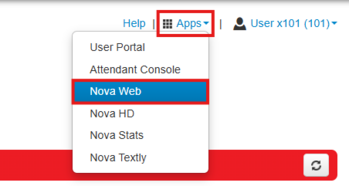
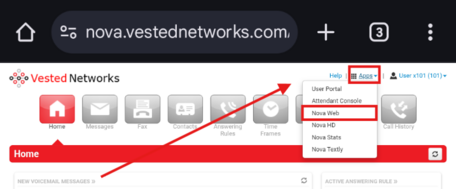
- Once logged in, click the Apps drop-down menu in the top-right corner of the screen. Select "NOVA Web" from the list.
- In the NOVA Web application, look for a download icon (typically a monitor with a down arrow) in the top-right of your browser’s address bar.
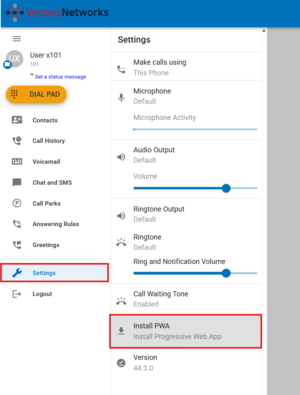
Alternatively, open the browser’s Settings menu (wrench icon) and select "Install PWA"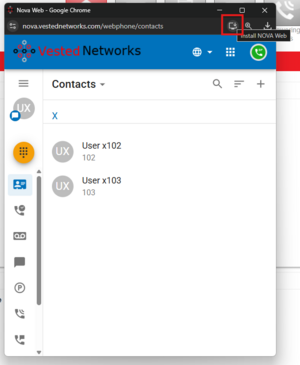
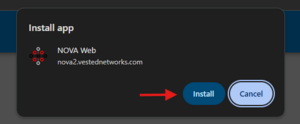
- A prompt will appear asking if you want to install the app. Click Install to download and set up the NOVA Web PWA.
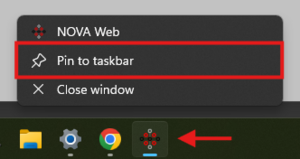
- Once installed, the NOVA Web app will open in its own window and appear on your taskbar. Right-click the icon and select “Pin to taskbar” for quick access in the future.


Downloading the NOVA Web PWA For Android Mobile Device
- Launch the Chrome browser on your mobile device and navigate to: nova.vestednetworks.com then login with your credentials.
- Once logged in, tap the Apps drop-down menu in the top-right corner of the screen. Select “NOVA Web” from the list.
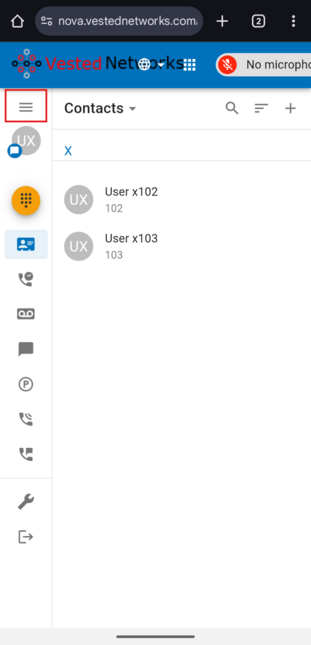
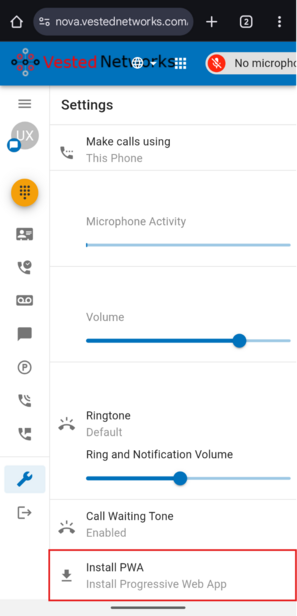
- After NOVA Web launches, tap the three horizontal lines (menu icon) in the top-left corner to open the sidebar.
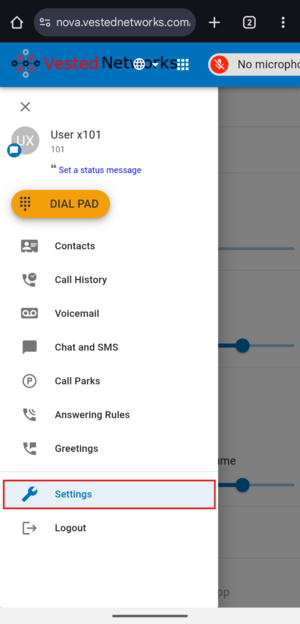
- In the sidebar, tap on “Settings.”
- Tap “Install PWA” when the option appears. Confirm the installation when prompted.
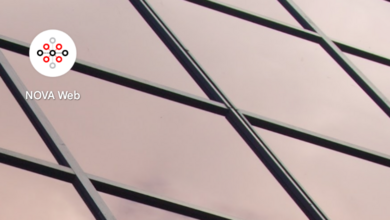
- Once installed, the NOVA Web app icon will appear on your home screen or apps drawer. You can now open it like a native mobile app.


Further Learning
Here is a link to a video that goes over the NOVA Web application features and functions