Setting a Voicemail Greeting on Vested Soft
Jump to navigation
Jump to search
Log In to the Mobile App
If you're having trouble logging in, please see our article here.
Record a New Voicemail Greeting
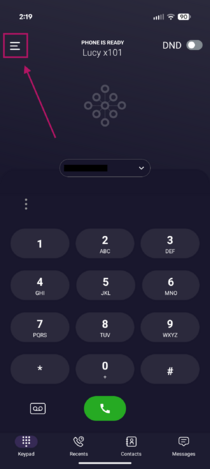
- Tap the Menu icon (☰) in the upper-left corner of the screen.
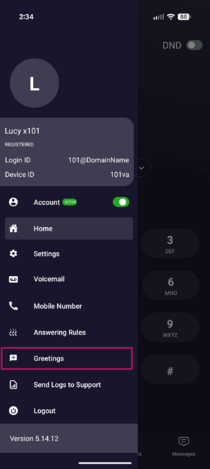
- Tap Greetings.
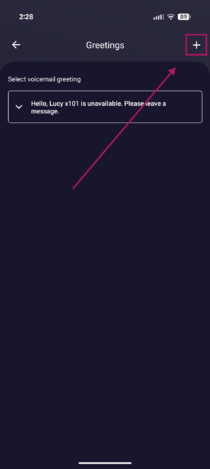
- Tap the + icon in the upper-right corner to create a new voicemail greeting.
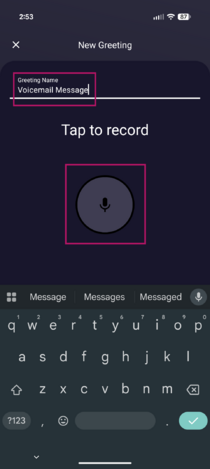
- Tap the Greeting Name field and enter a name for your greeting.
- Tap the Microphone icon to begin recording.
- When you have finished recording, tap the Stop icon.
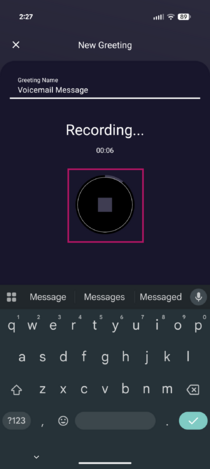
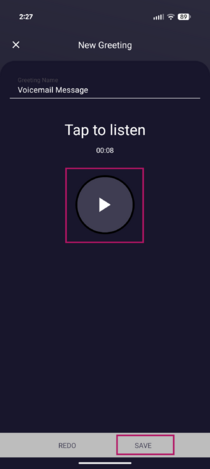
- Tap the Play icon to review your recording.
- Once you're satisfied with the recording, minimize the keyboard if necessary, then tap Save in the bottom-right corner of the screen.


Change Your Active Voicemail Greeting
- In the Greetings menu, tap the drop-down arrow to the left of the greeting you want to use.
- Tap Select.
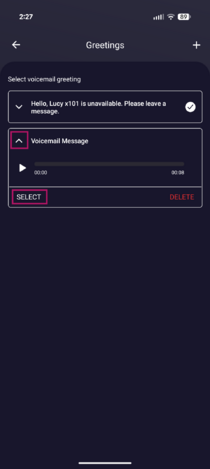
- Tap OK to confirm.
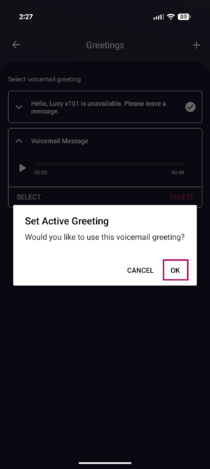
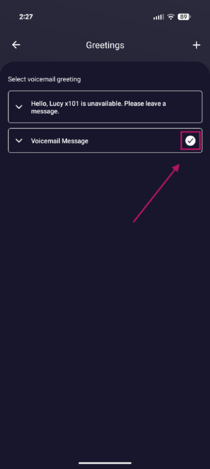
- A white checkmark to the right of the greeting indicates that it is currently active.


Delete a Voicemail Greeting
- In the Greetings menu, tap the drop-down arrow to the left of the greeting you want to delete.
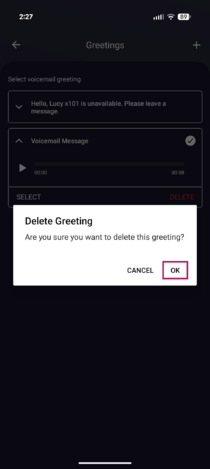
- Tap Delete.
- Tap OK to confirm.

If you have any questions about this process, or if you need assistance, please reach out to our Support Team by dialing HELP(4357) on your desk phone, calling (972) 924-6488, or emailing help@vestednetworks.com.