How to Change your Portal Password
Jump to navigation
Jump to search
If you want to keep your voicemails, faxes, etc. secure, then we highly recommend you change your password to the NOVA portal from our default password.
To change your password (while logged in):
- Sign into the portal at nova.vestednetworks.com If you can’t sign in, skip to the next section below.
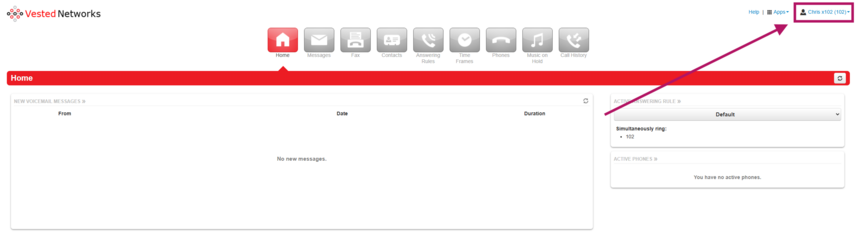
- Once logged in, click on your name in the top right corner of the screen.
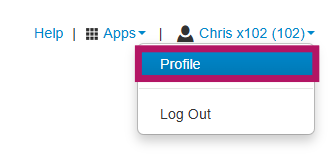
- From the dropdown, click Profile.
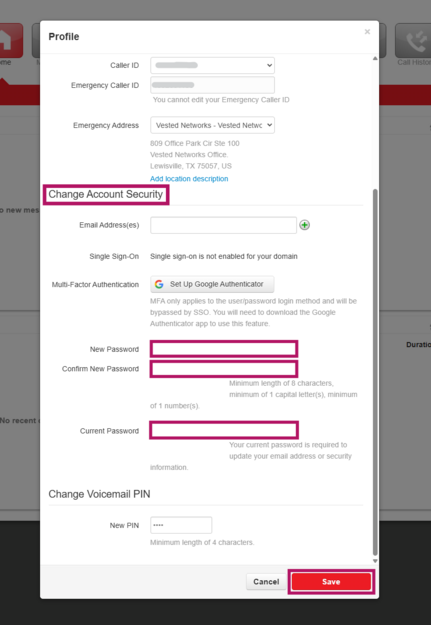
- Scroll down to the "Change Account Security" section.
- Enter your new password, confirm it, then enter your current password.
- Click on the red "Save" button to save your changes.


Forgot your login name?
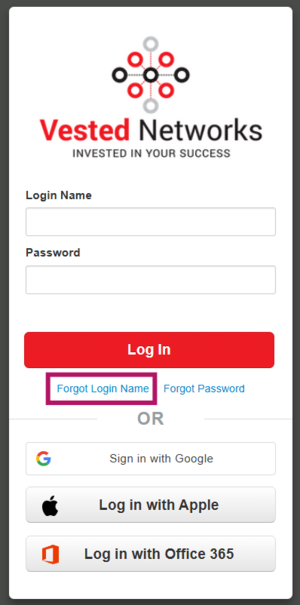
- On the login page, click “Forgot Login?”
- Enter your email address (and extension, if applicable).
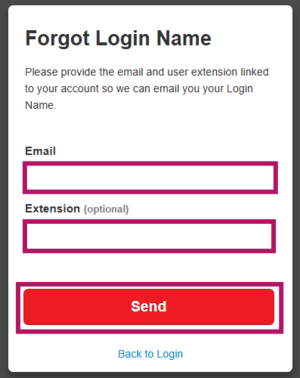
- You’ll receive an email with your login name.



Forgot your password?
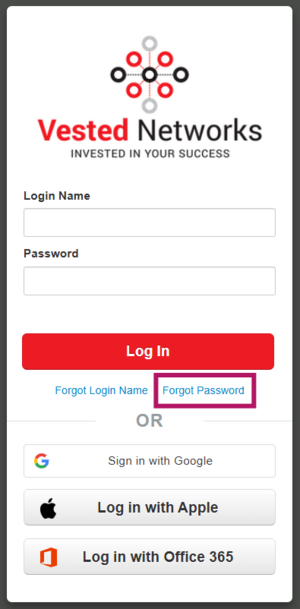
- On the login page, click “Forgot Password?”
- Enter your login name.
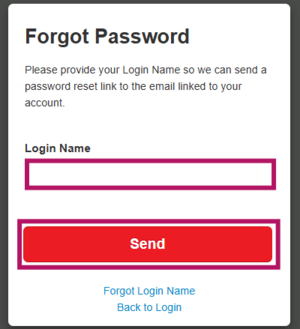
- You’ll receive a "Notify" email with a link to reset your password.



Still need help?
If you're not receiving the recovery emails:
- Your email address may not be properly set up in the portal.
- In that case, please contact your System Administrator or someone with Office Manager scope to check your portal user setup.
Alternatively, you can contact our support team at 972-924-6488, Option 2 for further assistance.
If you have any questions about this process, or if you need assistance, please reach out to our Support Team by dialing HELP(4357) on your desk phone, calling (972) 924-6488, or emailing help@vestednetworks.com.