NOVA MFA: Difference between revisions
Jump to navigation
Jump to search
No edit summary |
No edit summary |
||
| Line 1: | Line 1: | ||
This page is part of the [[Support Center]] guides for Resellers. | |||
# Log in to the User Portal. | # Log in to the User Portal. | ||
# Click on the '''Profile''' option in the user menu (top right of the screen).<blockquote>[[File:UserPortalProfile.png|frameless]]</blockquote> | # Click on the '''Profile''' option in the user menu (top right of the screen).<blockquote>[[File:UserPortalProfile.png|frameless]]</blockquote> | ||
Revision as of 13:52, 3 November 2025
This page is part of the Support Center guides for Resellers.
- Log in to the User Portal.
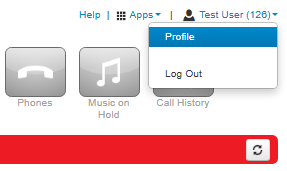
- Click on the Profile option in the user menu (top right of the screen).
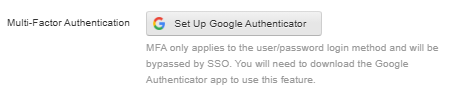
- Click Set Up Google Authenticator.
- Scan the 2D barcode
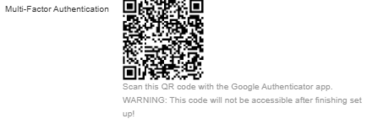
- Enter the passcode from your authenticator app into the Passcode field shown above.
- Enter your portal password in the Current Password field.
- Once this is done click on Save.


